
Parent Guide
Get started with
Myopia Focus in minutes
A step-by-step walkthrough for parents — sign up, add your child's profile, log measurements, and track their eye growth over time.
A step-by-step walkthrough for parents — sign up, add your child's profile, log measurements, and track their eye growth over time.
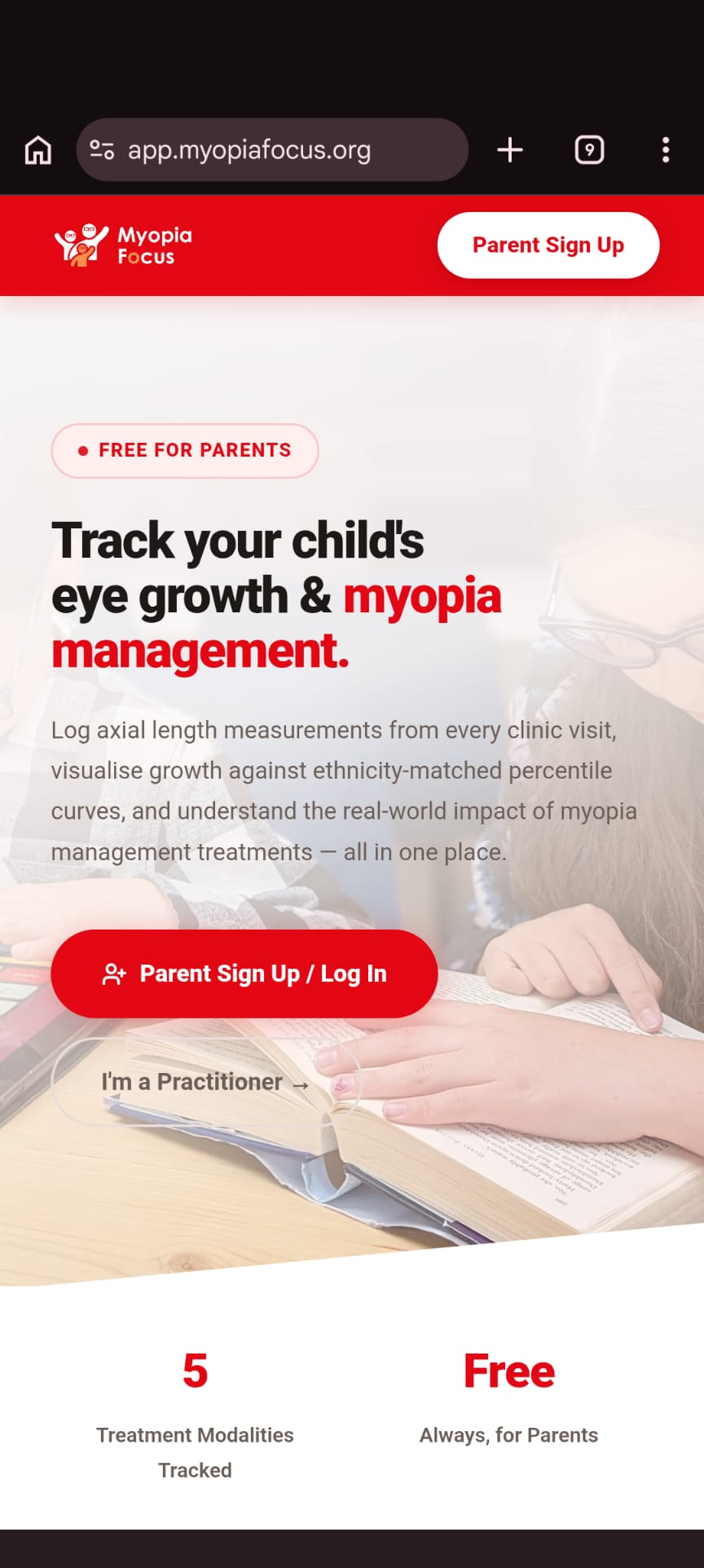
Open app.myopiafocus.org in your phone's browser. You'll see the Myopia Focus welcome screen with a red "Parent Sign Up / Log In" button.
You can also install the app to your home screen — tap Share → Add to Home Screen on iOS, or tap Menu → Install App on Android.
Myopia Focus is completely free for parents. No subscription required.
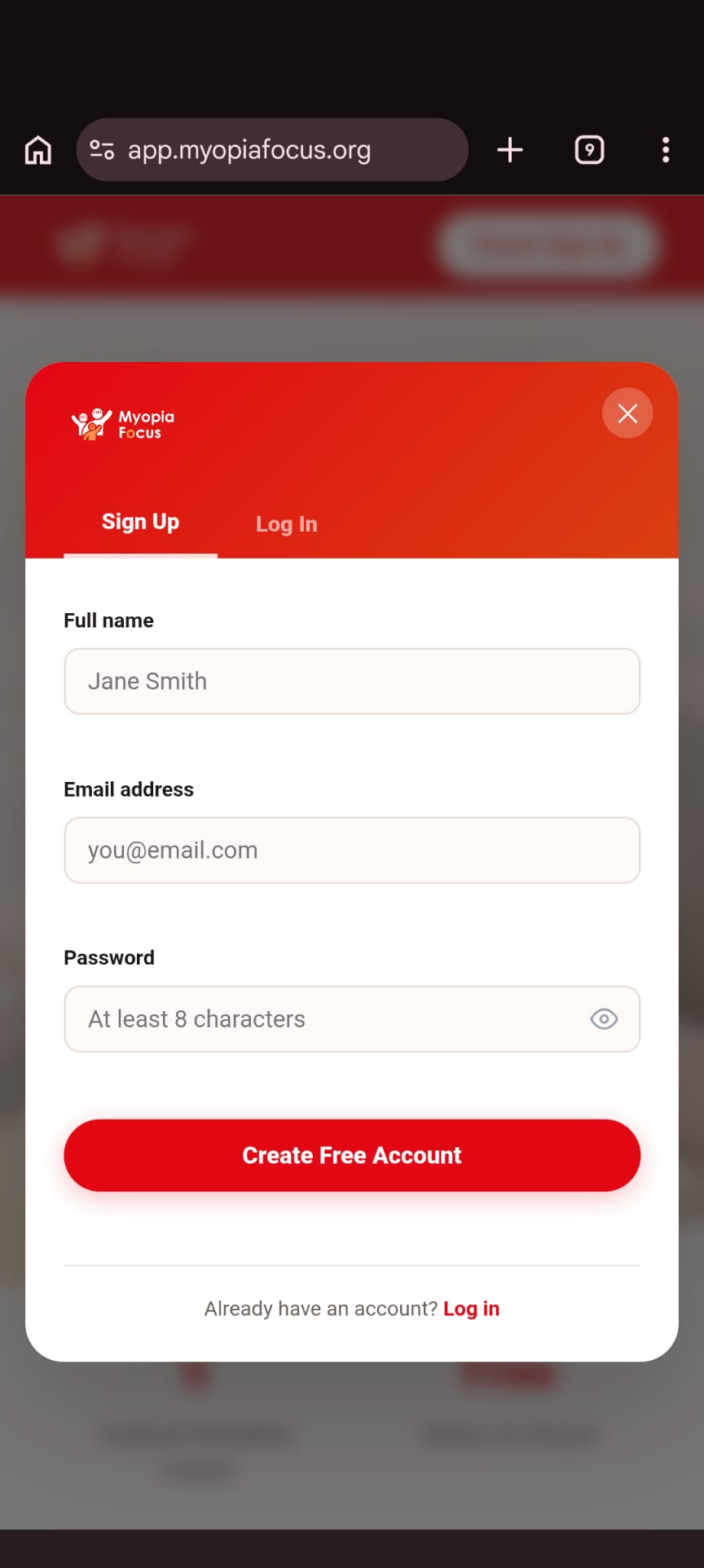
Tap "Parent Sign Up / Log In" and choose the Sign Up tab. Enter your full name, email address, and a password (at least 8 characters).
If you already have an account, switch to the Log In tab and enter your credentials.
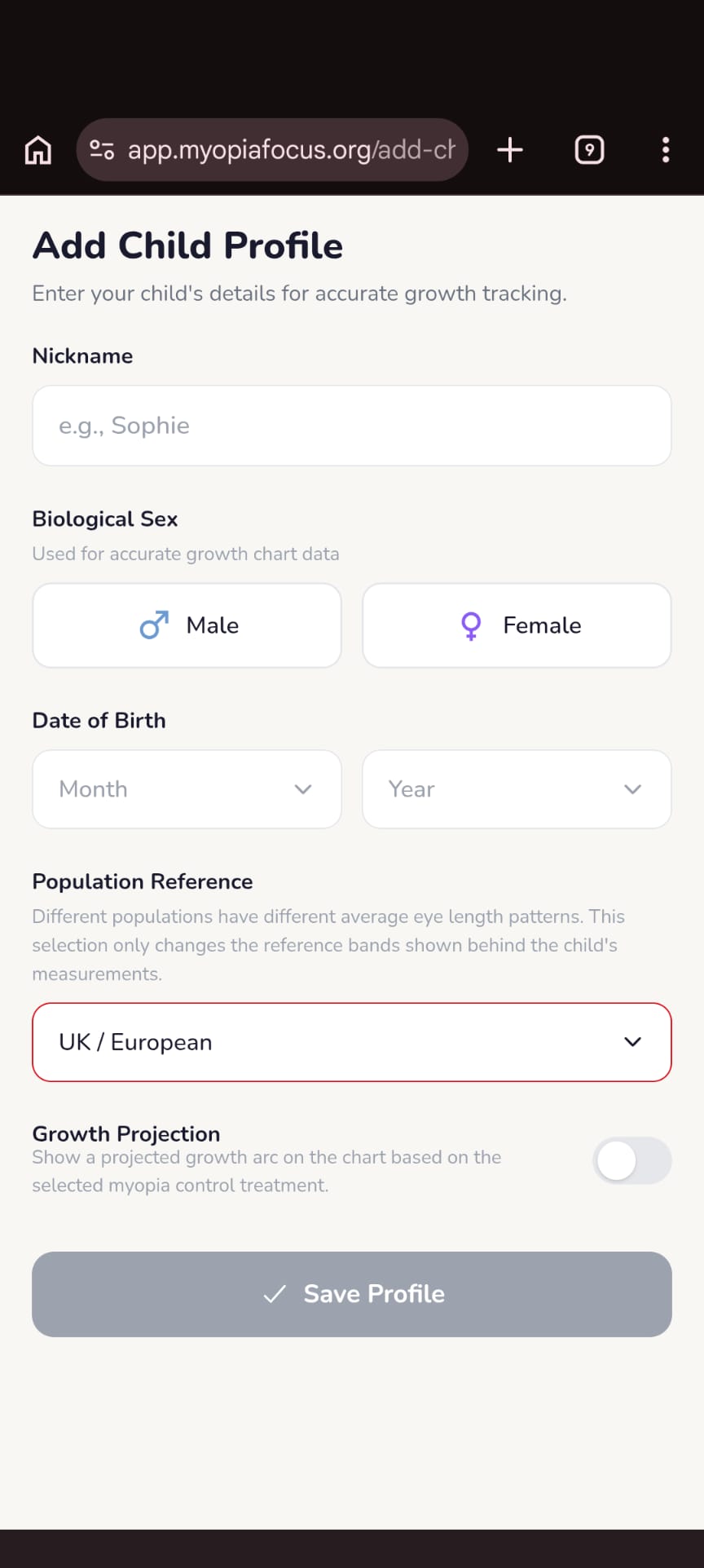
Enter your child's nickname, biological sex, and date of birth. These are used to position their measurements accurately on the growth chart.
Choose a Population Reference — different populations have different average eye length patterns, so this ensures the percentile bands are appropriate for your child.
You can add multiple children and switch between them from the home screen.
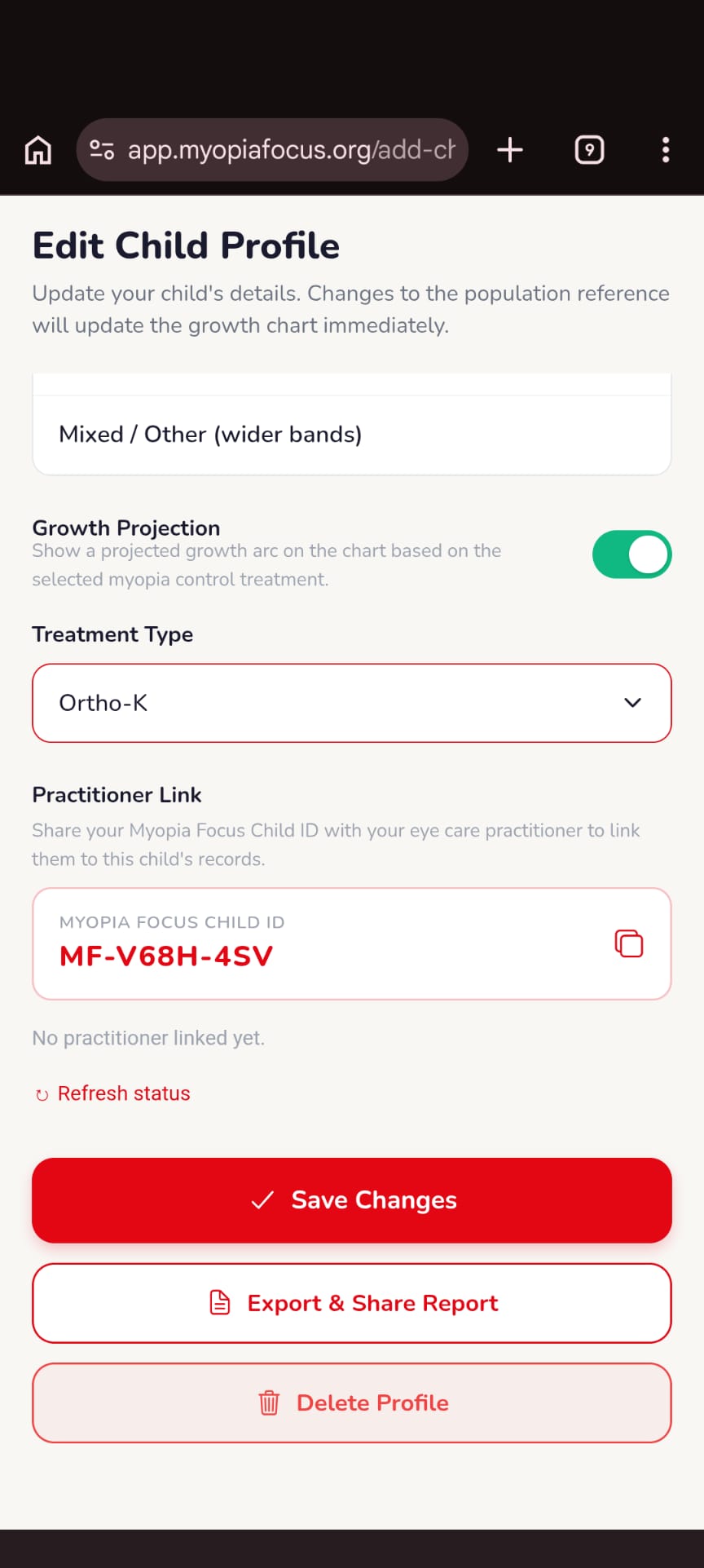
Enable Growth Projection to see a projected trajectory arc on the chart based on the treatment type your child is using (e.g. Ortho-K, atropine drops).
Your child's unique Myopia Focus Child ID (e.g. MF-V68H-4SV) can be shared with your eye care practitioner so they can view records and add clinical notes directly.
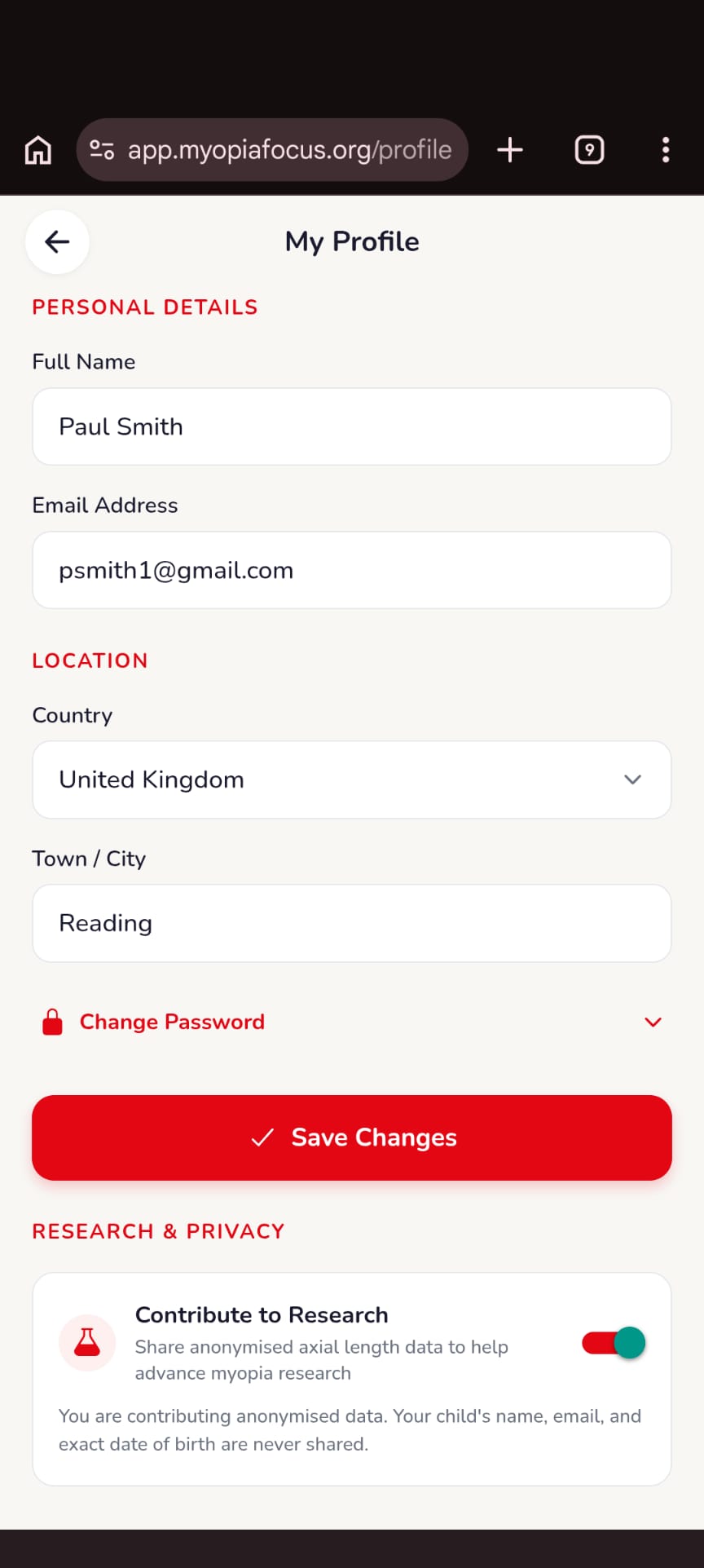
Access your profile from the home screen to update your name, email, country, and town. You can also change your password here.
Under Research & Privacy, you can choose to contribute anonymised axial length data to myopia research. Your child's name, email, and exact date of birth are never shared — only anonymised growth measurements.
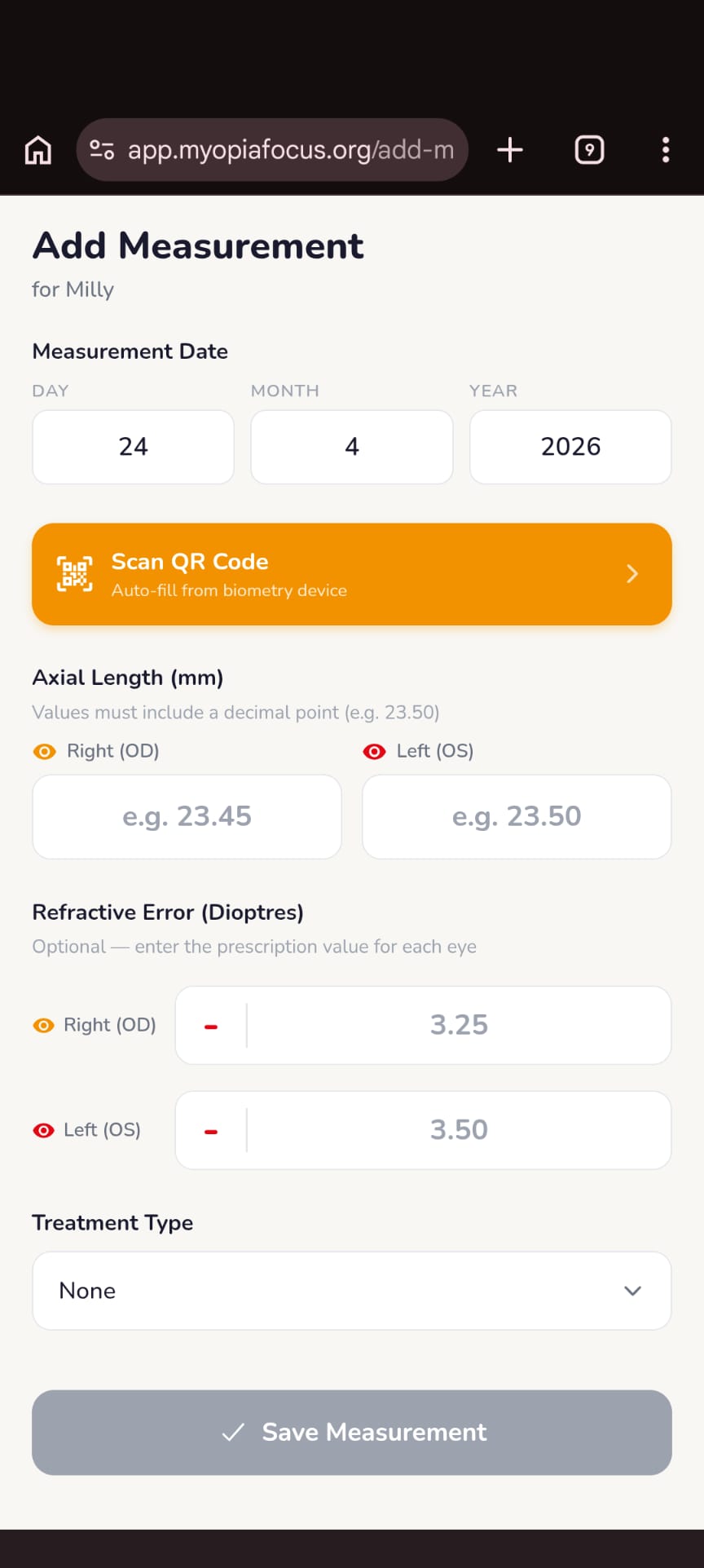
After your child's biometry appointment, tap Add Measurement. Enter the axial length in millimetres (e.g. 23.45 mm) for each eye — the right eye (OD) first, then the left eye (OS).
You can also log the refractive error (their prescription in dioptres) and the treatment type at the time of the measurement.
Compatible biometry devices can export data via QR code — tap Scan QR Code to auto-fill both eyes instantly.
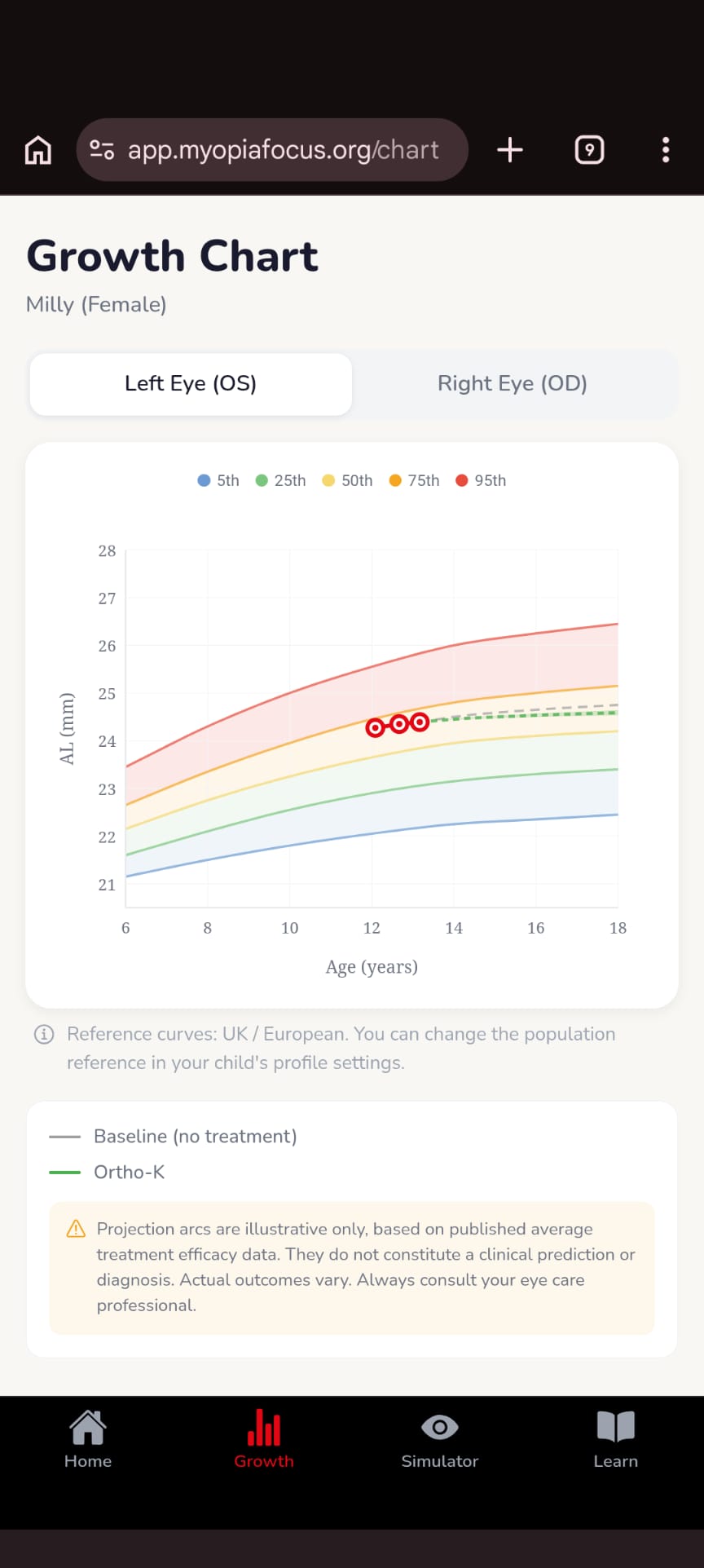
The Growth Chart plots your child's axial length measurements over time against ethnicity-matched reference percentile bands (5th to 95th), so you can see exactly where their eyes sit relative to their peers.
If growth projection is enabled, a treatment efficacy arc is shown — illustrating the expected trajectory with and without myopia control treatment based on published clinical data.
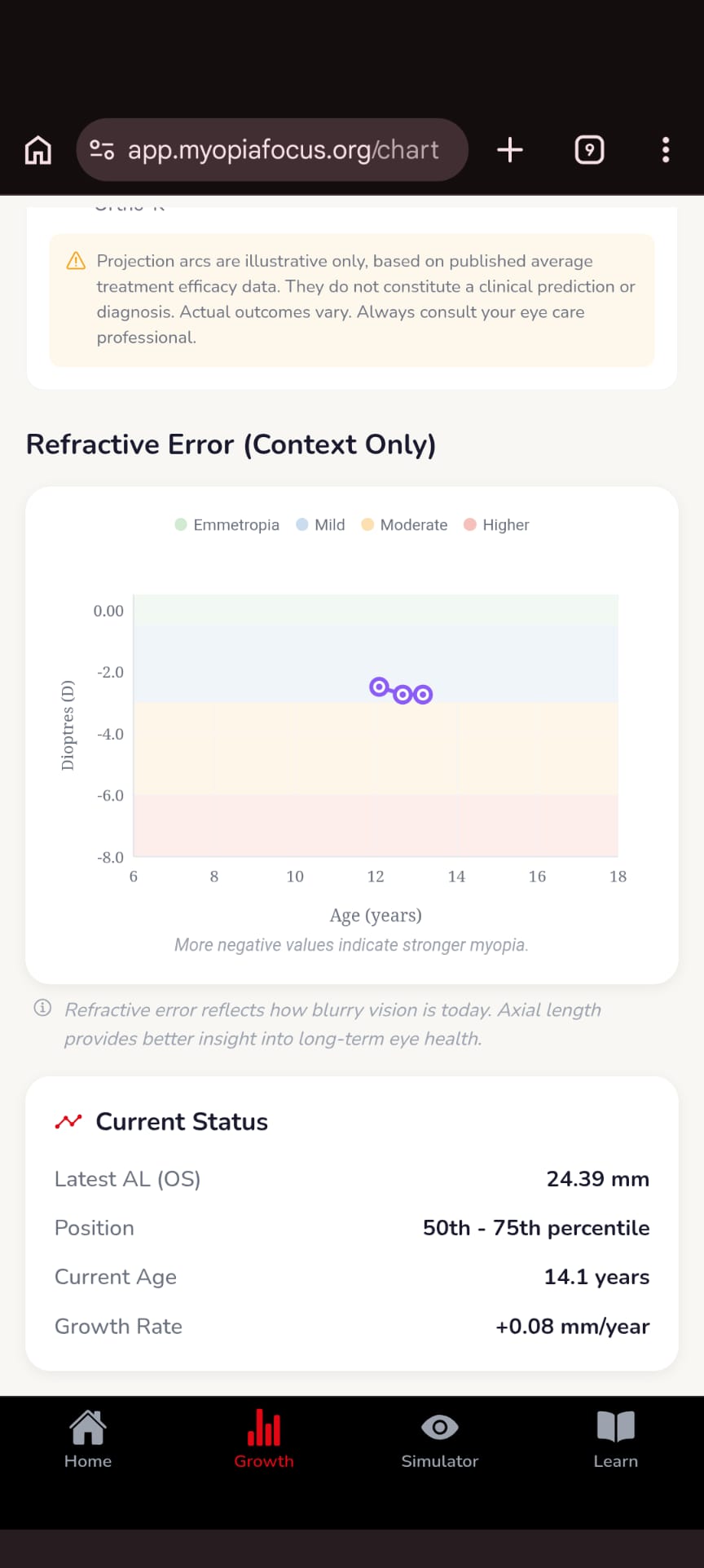
Scroll down on the Growth Chart screen to see your child's refractive error (prescription strength in dioptres) plotted over time against severity bands — from emmetropia (clear vision) through to high myopia.
The Current Status summary shows the latest axial length, percentile position, current age, and annual growth rate — all in one place.
Axial length gives a better picture of long-term eye health than prescription alone.
The Vision Simulator shows how uncorrected myopia affects distance vision. Drag the slider to experience the blur your child sees without their glasses or contact lenses.
Choose from a classroom scene, upload your own photo, or switch to Live View for a real-time camera experience.
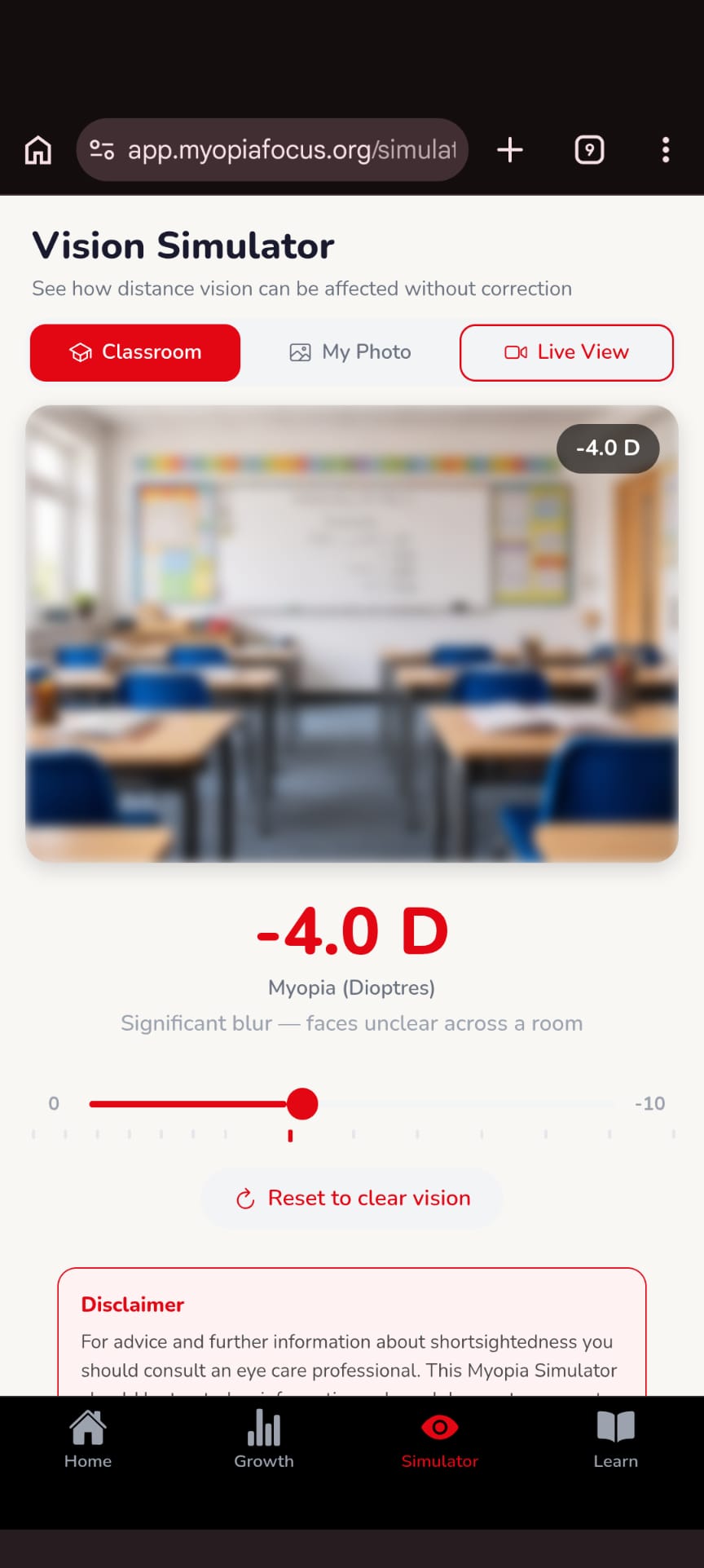
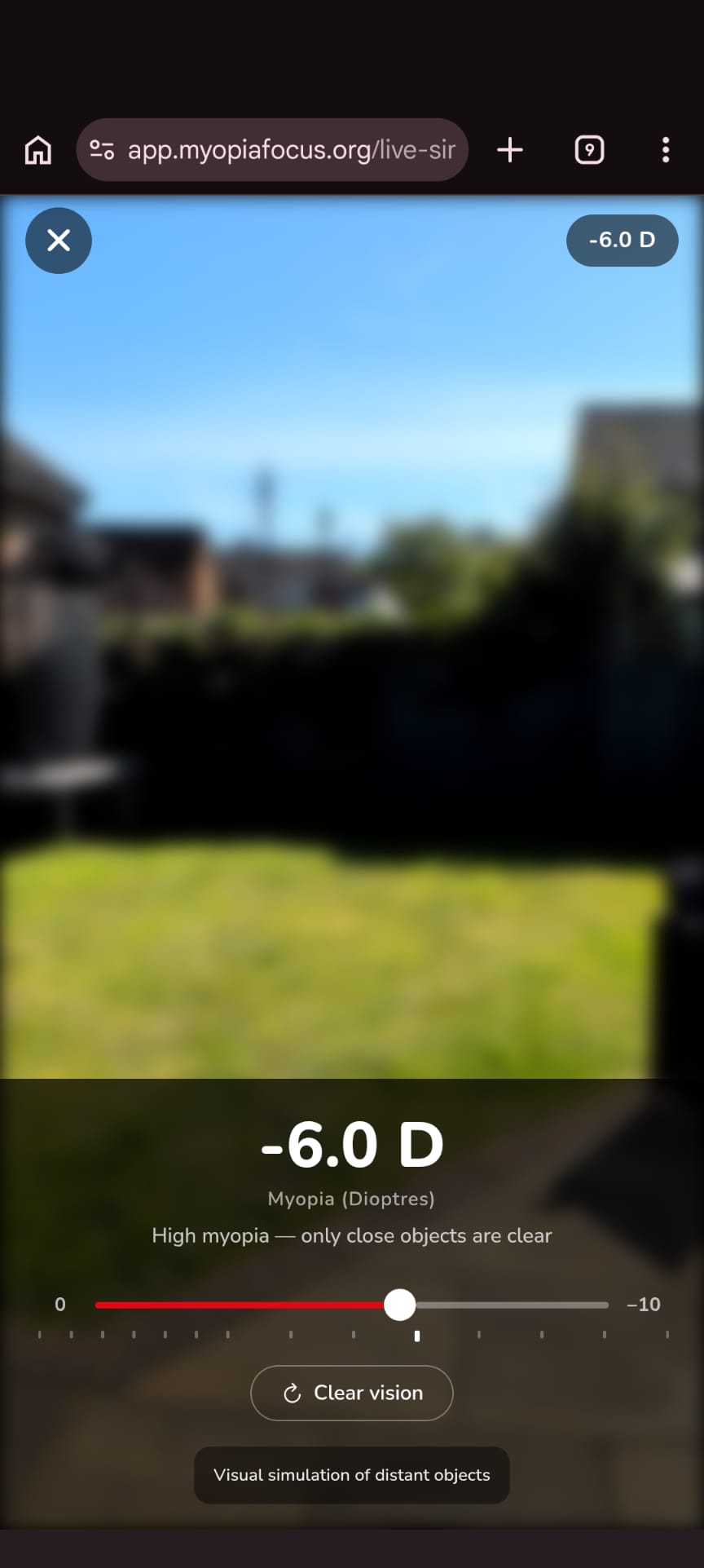
Tap Live View in the Vision Simulator to blur your phone's camera at any myopia level. Point it at anything — a whiteboard, a TV, a street sign — to feel the impact firsthand.
This is a powerful tool for helping family members, teachers, or friends understand what myopia means day-to-day.
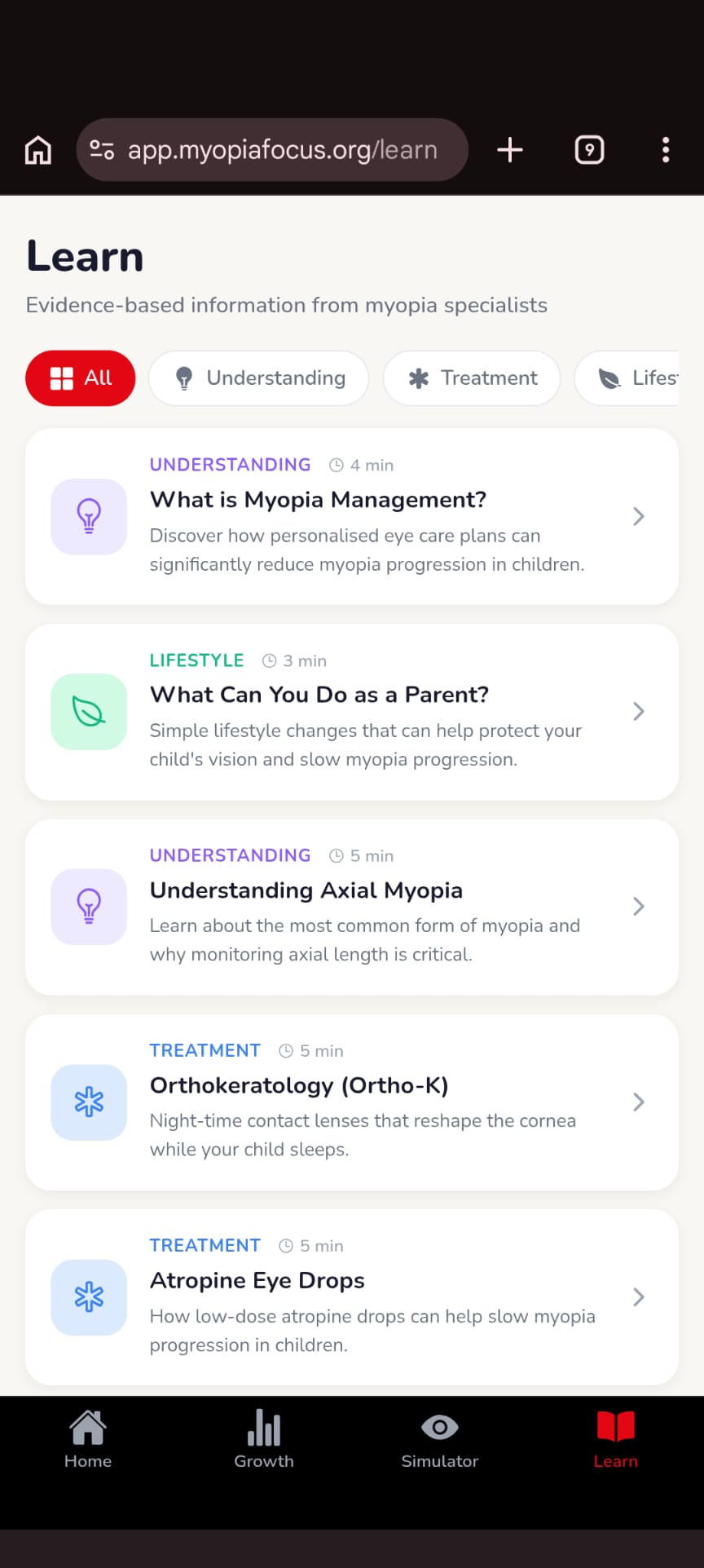
The Learn tab contains a curated library of articles written with myopia specialists — covering treatments (Ortho-K, atropine, MiSight), lifestyle factors, and how to interpret your child's data.
Filter by Understanding, Treatment, or Lifestyle to find exactly what you need.
Join thousands of parents using Myopia Focus to understand and monitor their child's myopia management.
Create your free account